Cancelling a Booking
If you need to cancel a booking, Swift makes it easy to cancel from within your account — as long as the facility allows it!
How to Cancel a Booking:
- Log into your Swift account and go to the Activity tab.
- Locate the booking you want to cancel.
- Click the Cancel icon next to the session
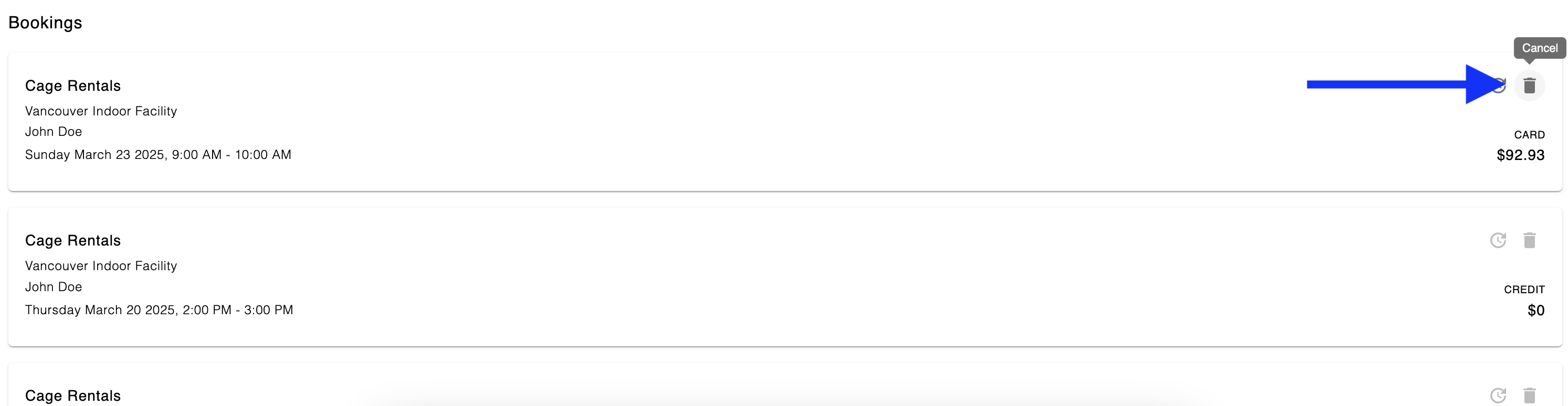
Things to note:
-
Paid by Credit Card? Your refund will automatically go back to the same payment card. It may take 5 – 10 business days for the funds to clear and appear in your bank account.
- Cancel Button Greyed Out? The facility may have a cancellation policy in place and you might be outside the cancellation window. In that case, reach out to the facility directly to see what options are available!