Wallet
Your Swift Wallet is a digital account balance you can use to pay for things at your facility — like bookings, retail items, packages, and more.
It works similar to store credit and it’s stored securely on your profile for easy access.
⚠️ Note: Wallet funds cannot be used to pay for Memberships at this time.
Why Use a Wallet?
Wallets make life easier, especially if you visit a facility regularly or manage bookings for a child or team. Here’s how they help:
- Quick checkout: Pay instantly for bookings, snacks, or gear without pulling out your card.
- Parent-free purchases: Your child can use the Wallet balance even if you’re not there.
- Prepaid flexibility: Load funds once and use them however you like, whenever you need.
- Simpler refunds: Some facilities may refund you to Wallet instead of your card — making funds available to use right away.
What Can I Use My Wallet For?
You can use your Wallet balance to pay for:
- Bookings (like camps, clinics, or lessons)
- Retail items (water, apparel, gear)
- Packages
- One-time payments set up by staff
Just ask staff to apply your Wallet balance when making a purchase, or use it as a payment method when booking online (if enabled).
How can I view my wallet at a facility?
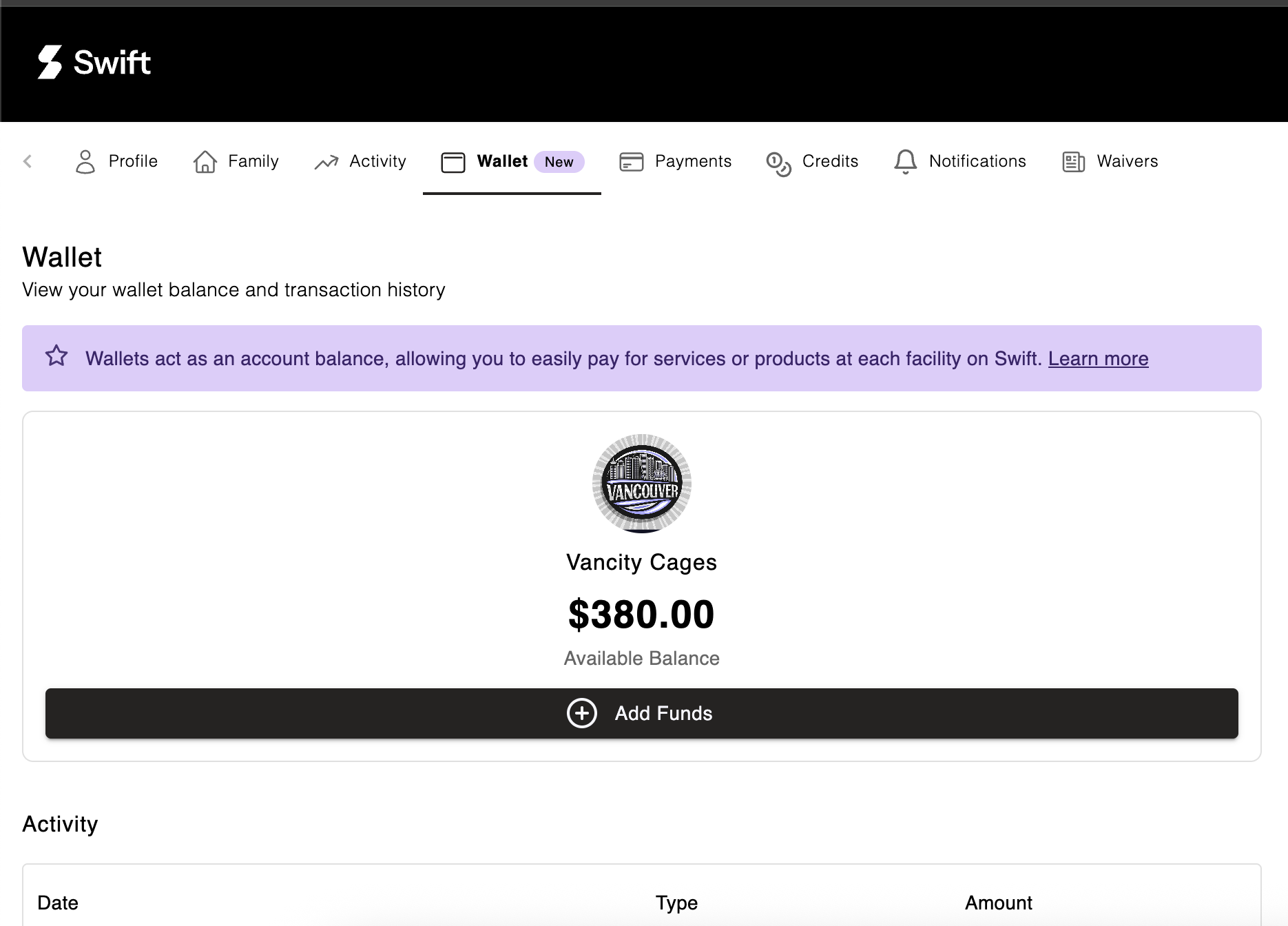
To view your wallet at a facility, follow these steps:
- Go to the facility's booking page
- Sign into your Swift account
- Click on your profile icon in the top right corner and select My Account
- In your account, select the Wallet tab
How Do I Load Funds Into My Wallet?
Option 1: Ask Staff
Facility staff can load funds into your Wallet by charging your saved card or applying a manual credit.
Option 2: Add Funds Yourself
To load funds directly into your Wallet yourself:
- Go to the facility’s booking page
- Log into your Swift account
- Click your Profile icon, then choose My Account
- Go to the Wallet tab
- Click Add Funds
- Enter the amount you’d like to load
- Select your credit card
- Click Add Funds to confirm
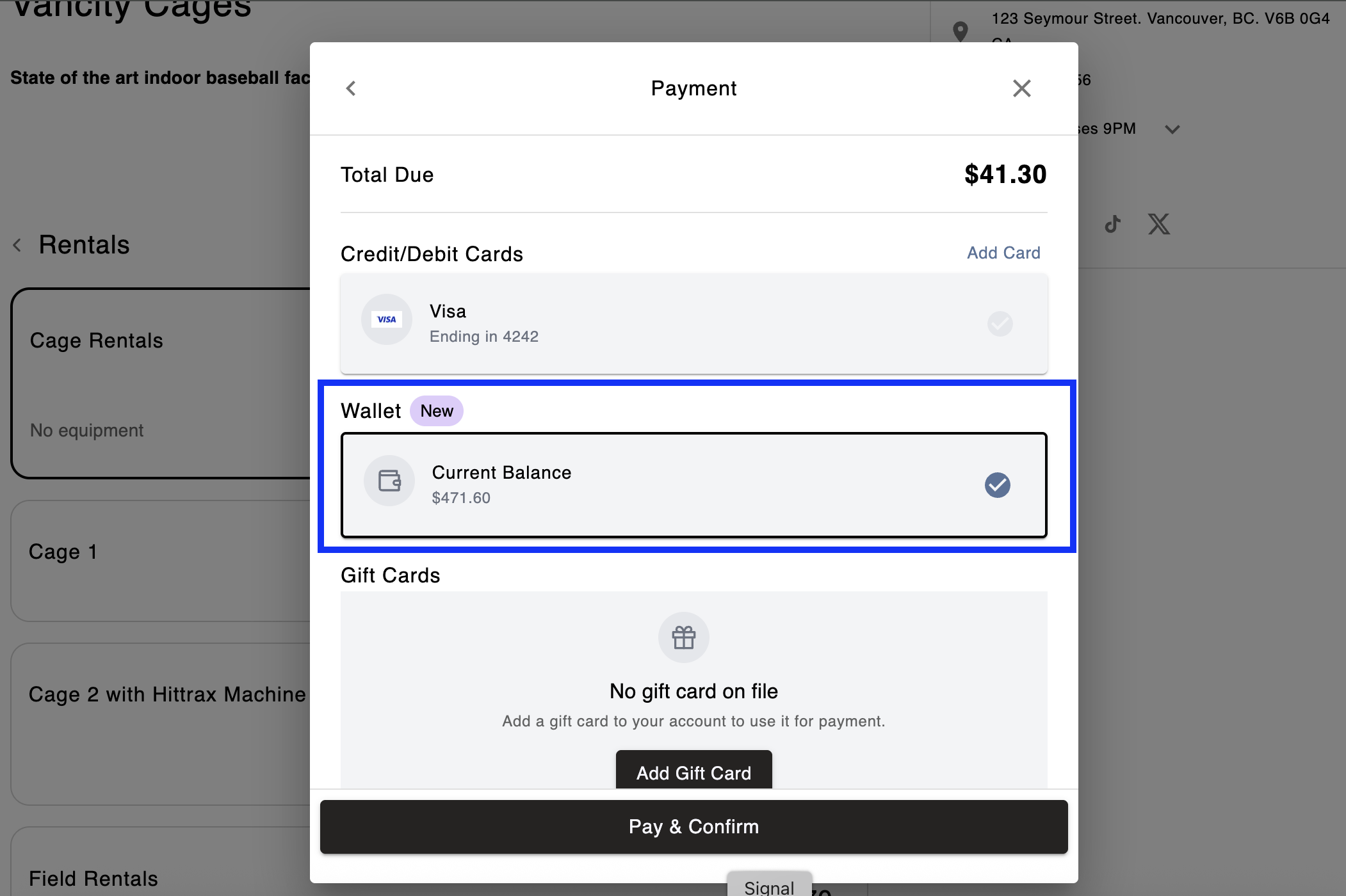
How to pay for a service with Wallet funds
During the checkout flow, just choose Wallet as your payment method if you have sufficient funds to cover the service.